01 / SPEED
Log a set in a single tap.
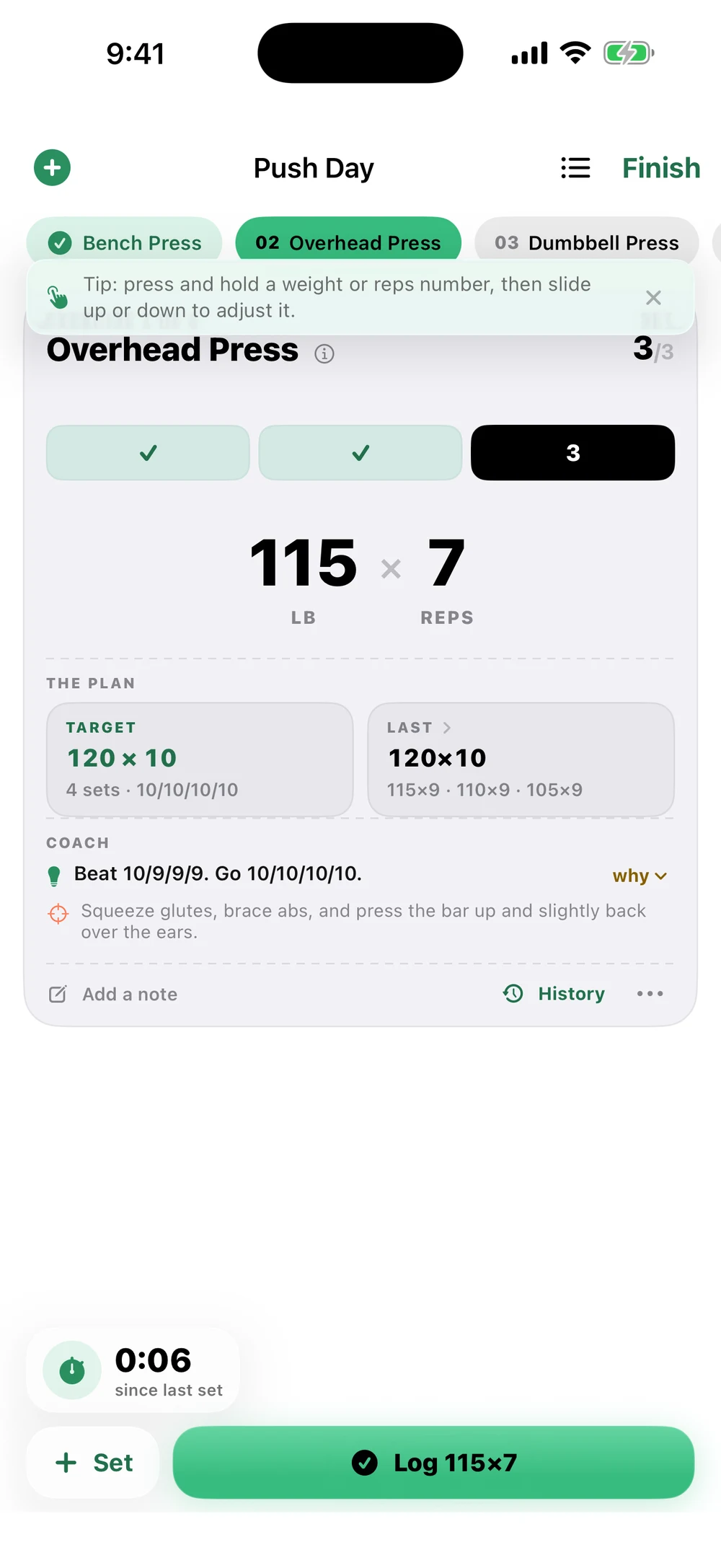
Sets pre-fill from last time. Tap to confirm, or press any number and slide when the gym floor changes the plan.
Fuerza keeps training data and coaching on your iPhone: build the plan, log the set in one tap, and let your own history and notes become the next target.
Fuerza turns the whole gym-floor loop into four promises: fast logging, coaching grounded in your history, local-first privacy, and less phone between sets.
Sets pre-fill from last time. Tap to confirm, or press any number and slide when the gym floor changes the plan.
Targets come from your own logged history and the notes you write: easy, hard, pain, missed reps, and real progression.
No app account, no analytics, no ads, and no training-data upload. Optional music integrations do not send your workouts.
One exercise, one target, one clean path to the next set. The interface gets out of the way.
Each screen has one job in the loop: bring the plan in, get through the workout, and show what changed.

Paste a training program from notes, coach messages, or ChatGPT and turn it into a structured routine.

See the week, move a day, or make one-time changes without damaging the plan.
One-tap sets, slide adjustments, rest timing, notes, and music controls in one view.

Review volume, plan adherence, history, and the coach’s read from your logs.

Open the app to the next useful action: today’s lift and what matters now.
Fuerza does not hand you generic “progressive overload” advice. It looks at the last time you lifted, what you wrote down, and the rep range in the plan, then gives the next realistic mark.
Beat 8 / 8 / 7. Last note said it moved well, so today’s target finishes the set.
The interface is localized, exercise names have Spanish display names, and the coach can understand Spanish or Spanglish prompts and answer in natural Spanish when the user’s language calls for it.
“Bench moved easy. What should I beat next?”
“La banca se sintió fácil. ¿Qué intento superar ahora?”
Unless you choose to export or share it. Fuerza has no app account, no developer server, no analytics, no ads, and CloudKit sync is disabled. Workouts, routines, notes, settings, and coaching context are stored locally and coaching runs on device. Optional music integrations may contact Apple or Spotify for playback and artwork, but they do not send your training data.

Fuerza is a private workout log and coach for iPhone. Fast on the floor, thoughtful afterward, and yours by default.